

LifeSize IconFlex



market opportunities
tens of thousands of enterprises are using or are about to use:
Microsoft®Lync®, Google Hangouts™, Cisco Jabber®, Skype™,Lifesize Cloud
what they need-consumer-level peripherals, which can be connected and used by themselves and enjoy high-quality video communication.
Lifesize®Icon Flex
Enterprise-class video and audio peripherals
·Whether you have it or not, whatever you have-it doesn't matter
·Important-6x zoom camera, full touch screen phone, and independent voice system
·Enterprise after-sales service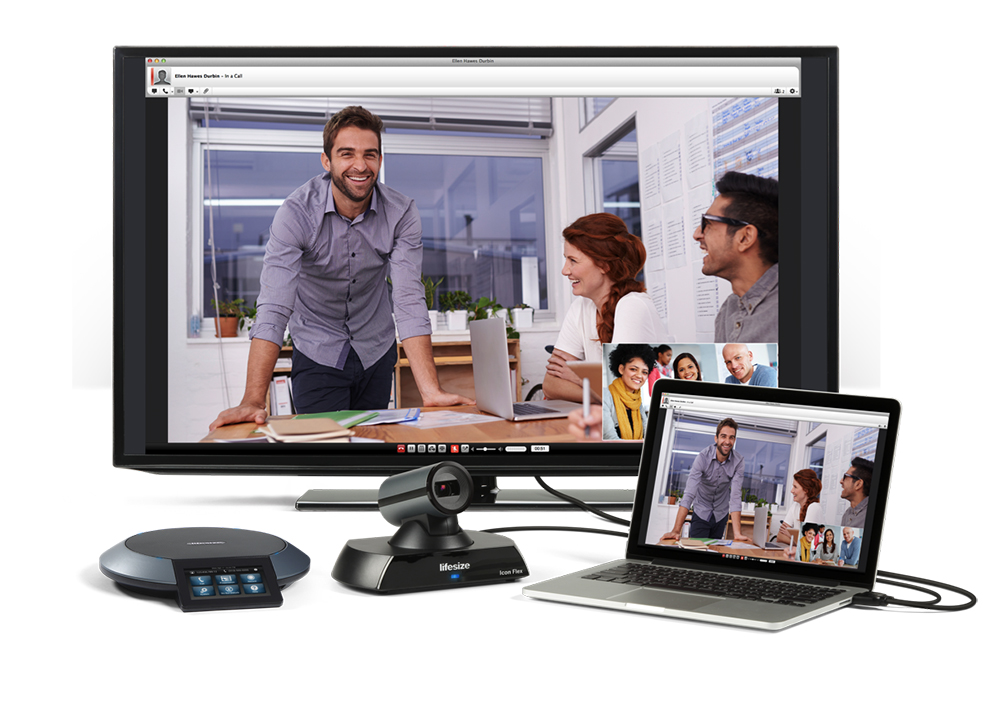
is so willful
my meeting-based on my existing application software
a computer. Application software. Lifesize Icon Flex. it's as simple as that!
is the best choice for small meetings.
Improve Existing Video Quality: Microsoft Lync, Google Hangouts, Cisco Jabber, Skype and Lifesize Cloud
Add Phone for Voice-only Conference
work
Icon Flex is connected to the computer via USB
·in the video application software, select IconFlex as camera and audio equipment
·use an HDMI to connect the computer to the monitor to facilitate large-scale viewing.
·a full touch screen Phone or a new version of the remote control to control the conference
advantage
integrated design
·3x optical, 2x digital, total 6x zoom
·1080 p30/720p60
Lifesize Phone (optional)
·Full touch screen Phone or Micpod
redesigned remote control
·adjustable volume and camera
Lifesize Phone can also be used for voice conference.
·ultra-high quality voice calling experience
·Lifesize Phone becomes a voice conference device
·register Lifesize Phone to your IP-PBX
·it's time to upgrade your voice conferencing system to Lifesize Phone
redesigned remote control
·adjustable volume and camera
Target customer base
Based on Software Application = Lifesize®Icon Flex™
focus on:
·desktop video collaboration ecosystem (Microsoft Lync, Google Hangouts, Cisco Jaber or WebEx)
·Enterprise HD Audio and Video Communication
·Enterprise service
Lifesize Icon Flex vs. Lifesize Icon 400
Lifesize Icon Flex
·requires software applications:
Microsoft Lync, Google Hangouts, Cisco Jabber, Skype, Lifesize Cloud
·computers and application software to process videos
·computer-connectable monitor for easy viewing
·sends presentations through application software
·Lifesize remote control can help adjust the volume and camera
Lifesize Icon 400
·special video processing equipment to easily register to the cloud, bringing you a connected experience
·Plug-in presentation
·Navigation interface
·Address synchronization
·One-click call
·One-click recording and broadcasting
·...
:
·Lifesize Icon Flex
·Lifesize Phone or Lifesize Digital MicPod
·Remote Control
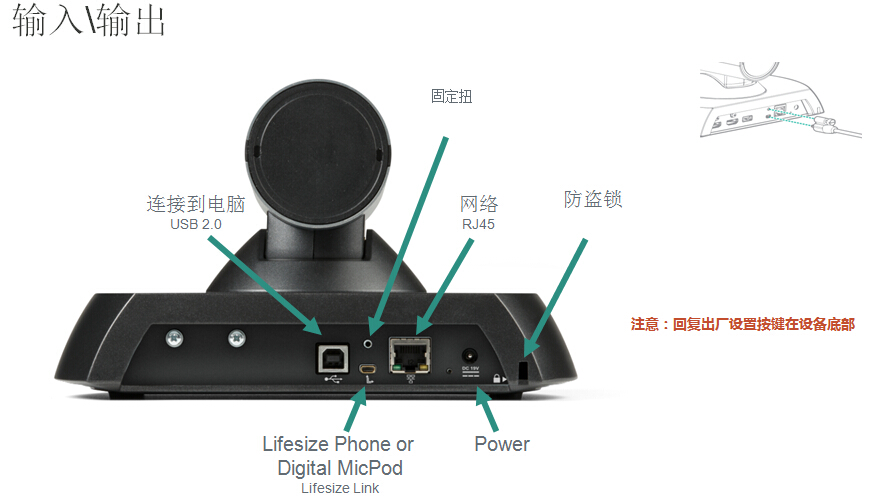
·cable
USB A to USB B (5 m) -connect computer
HDMI cable (5 m) -connect to the computer
Ethernet (3 m) -network cable
power cord (2 m) -power cord
Lifesize Link (9 m with Lifesize Phone, 4 m with Lifesize Digital MicPod)
